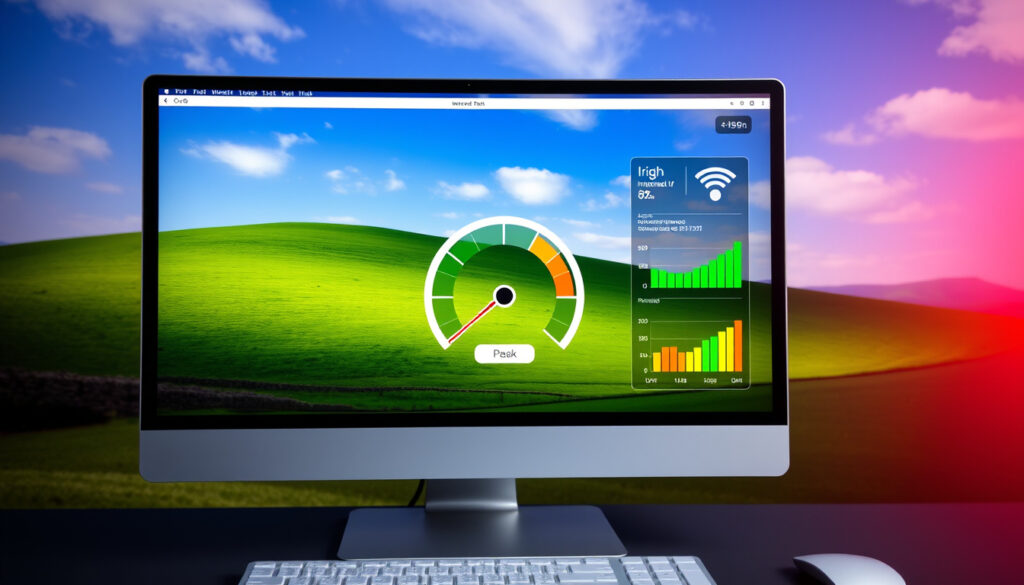
What Is My Internet Speed? Free Test & Ireland Guide
Whether you’re streaming the match from your living room or working from the kitchen table, slow internet has a way of making itself known right when you need it most. The good news: you can find out exactly what’s coming through your router in under a minute, and you don’t need any special kit to do it. This guide runs through the fastest free tools, Ireland-specific benchmarks, and the settings tweaks that actually move the needle.
Top Global Test: Speedtest.net ·
Quick Download Test: fast.com ·
Ireland Broadband Tool: bonkers.ie ·
eir Speed Checker: eir.ie ·
Switcher Ookla Test: switcher.ie
Quick snapshot
- Exact methodology behind TestMy.net’s user-logged averages is not publicly documented
- H2 2025 or Q1 2026 Ookla reports have not been released as of March 2026
- Ireland’s average broadband climbed from 103 Mbps in 2024 to 165 Mbps by March 2026 (Switcher.ie)
- Fixed broadband world ranking improved to 28th by March 2026 from 38th the prior year (Speedtest.net)
- Providers investing in full-fibre rollouts will likely push national averages past 200 Mbps by late 2026
- 5G fixed wireless access could become a viable alternative for rural households underserved by copper lines
| Tool | Value |
|---|---|
| Top Global Tool | www.speedtest.net |
| Quick Test Site | fast.com |
| Ireland Option 1 | www.bonkers.ie/compare-tv-broadband-phone/speed-test/ |
| Ireland Option 2 | www.eir.ie/helpandsupport/broadbandspeedtest/ |
| Ireland Option 3 | switcher.ie/broadband/speed-test/ |
How do I check the internet speed in my house?
Running a speed test at home takes less time than boiling a kettle, and it tells you exactly what you’re working with before you blame the streaming service for buffering.
Best free tools for home testing
Speedtest.net (Ookla) remains the global standard. It runs download, upload, and ping tests against servers worldwide, and the results are comparable across providers. If you want something even simpler, fast.com runs a single download test in about 10 seconds—no sign-up, no app required. For Irish users who want results tied to local infrastructure, switcher.ie runs an Ookla-powered test that measures your connection the same way Irish ISPs benchmark performance.
Bonkers.ie adds jitter measurement to the standard download/upload test, which matters if you game online or use video calls. If your ping looks fine but jitter is high, the issue is consistency, not raw speed.
Steps to run a WiFi speed test
According to Switcher.ie, accuracy depends just as much on how you test as which tool you use:
- Pause any downloads or updates running in the background on other devices
- Move closer to your router—if you’re testing over WiFi, walls and distance skew results
- Restart your router before testing to clear any temporary congestion
- Use a wired Ethernet connection if you want the most stable baseline reading
- Run the test at different times of day and repeat two or three times
Ireland-specific broadband checkers
Irish broadband providers offer their own free tools. Eir provides a broadband speed test that lets you check against your plan’s advertised speeds. Virgin Media offers a speed test tailored to its cable network. Three Ireland hosts a speed test for both mobile and fixed connections. Each tool uses servers located within Ireland, which eliminates the variable of international routing when you’re comparing local services.
Switcher.ie runs an Ookla-powered test that measures your connection the same way Irish ISPs benchmark performance.
— Switcher.ie, broadband speed test guide
How do I find out what speed my internet is?
Once you have a reading, the next step is understanding what those numbers actually mean and how they stack up against what you’re paying for.
Download vs upload speeds explained
Download speed is what pulls content from the internet to your device—streaming video, loading web pages, fetching emails. Upload speed matters when you’re sending data: video calls, backing up files to the cloud, posting to social media. Most residential plans are asymmetric, meaning upload is deliberately slower. Virgin Media’s median upload in H1 2025 sat at 48.84 Mbps, which is roughly one-fifth of its median download of 269.47 Mbps, according to Ookla’s H1 2025 report.
Ping and jitter metrics
Ping (latency) measures the time it takes for a signal to travel from your device to a server and back, expressed in milliseconds. Jitter tracks whether that time stays consistent. High jitter causes stutter in real-time applications even when ping looks acceptable. Bonkers.ie measures both, making it one of the more useful tools for households with gamers or remote workers.
Comparing to your ISP plan
If your plan advertises 100 Mbps and your wired test shows 95 Mbps, that’s within normal variation—ISPs typically guarantee “up to” a speed and route traffic across shared infrastructure. If you’re consistently getting 40 Mbps on a 100 Mbps plan, however, something is bottlenecking. Switcher.ie tracks national average speeds so you can benchmark your results against what Irish users are seeing on similar connections.
The pattern: Ireland’s national average of 165 Mbps as of March 2026 puts most urban households in a strong position compared to the global fixed average.
— Switcher.ie, broadband speeds guide
What is a good internet speed for WiFi?
“Good” depends on what you’re doing. A single person checking email and browsing the web has very different needs than a household of four streaming separate shows while someone works from home.
Speeds for streaming and gaming
For standard HD streaming on services like RTÉ Player or YouTube, 25 Mbps per stream is the rough baseline. Move to 4K and you need 50 Mbps per stream. Online gaming typically requires a sustained 25–50 Mbps download with a ping under 50 ms to avoid lag. Competitive gaming pushes that further—you want ping under 20 ms if possible.
Three Ireland’s median 5G download hit 129.84 Mbps on 5G specifically in H1 2025, according to Ookla. If you’re in a 5G coverage area and can use a 5G home broadband router, wireless may actually outperform a copper-based fixed line.
Household needs breakdown
A general guide: 25 Mbps handles one or two light users. 100 Mbps supports four people browsing and streaming simultaneously. 500 Mbps covers heavy use—multiple 4K streams, large cloud backups, gaming consoles. Ireland’s national average climbed to 165 Mbps as of March 2026, according to Switcher.ie, which means most urban Irish households now have headroom above the minimum.
Ireland average benchmarks
Ireland ranked 28th globally for fixed broadband and 58th for mobile as of March 2026, according to Speedtest.net’s Global Index. That places Ireland comfortably ahead of the global fixed average, though room for improvement remains relative to leaders like Singapore and the UAE. Lucan recorded the fastest urban fixed median at 281.14 Mbps in H1 2025, while Limerick led mobile at 113.71 Mbps, per Ookla.
What is a good WiFi speed for home?
Beyond the headline number, how your connection behaves inside your home matters just as much. WiFi performance is shaped by your router, the band you’re connected to, and how many devices are competing for bandwidth.
WiFi vs wired differences
Wired Ethernet typically delivers 90–95% of your plan’s advertised speed. WiFi on the 2.4 GHz band drops to 50–70%, and on 5 GHz sits around 70–85%, depending on interference and distance from the router. If you’re testing over WiFi and the result is lower than expected, try a wired test before contacting your ISP.
Factors affecting home WiFi
Device age matters—a laptop with WiFi 5 handles older standards differently than one with WiFi 6. Time of day affects contention on shared networks. Your physical location in the home matters too: a router tucked in a cabinet in the hall will underperform compared to one placed centrally on a shelf. The factors listed by Switcher.ie include device capability, time of day, location, and whether you’re on WiFi or wired.
Minimum for smart homes
A basic smart home setup—phones, laptops, a smart TV, and a handful of IoT devices—needs a minimum of 50 Mbps sustained. If you run a mesh network or multiple streaming devices simultaneously, aim for 100+ Mbps per device as a comfortable ceiling. nPerf.com offers testing across DSL, cable, fibre, and satellite connections, which is useful if you’re comparing technologies rather than just providers.
The catch: advertised speeds assume optimal conditions. Real-world home WiFi rarely hits those numbers, which is why the 50–85% WiFi efficiency range exists as a normal baseline, not a failure.
How to boost my WiFi signal?
If your speed test is consistently below your plan’s guarantee, the problem is usually fixable without switching providers. Here are the adjustments that actually work.
Router placement tips
Place your router in a central, elevated position—on a shelf rather than the floor, and away from thick walls or metal objects. Microwaves, cordless phones, and baby monitors all operate on the 2.4 GHz band and can interfere with your signal. If your home is large or has multiple floors, a single router often can’t cover everything evenly.
Lucan’s median fixed speed hit 281.14 Mbps in H1 2025, partly because urban areas have better-placed infrastructure. Moving your router one room closer to where you work can shift your effective speed by 20–40 Mbps.
Channel optimization
The 2.4 GHz band has only three non-overlapping channels in Ireland and Europe. If your neighbours are all on the same channel, congestion follows. Most modern routers have an auto-select feature, but manually choosing channel 1, 6, or 11 in your router settings can make a real difference. The 5 GHz band is less crowded and offers faster speeds, but covers a shorter range—it’s better for devices close to the router.
Upgrade options
If your router is more than five years old, it’s likely running WiFi 4 or early WiFi 5, which bottlenecks modern connections. Upgrading to a WiFi 6 router costs roughly €80–€150 and supports more simultaneous devices with lower latency. For larger homes, a mesh system (e.g., Google Nest Wifi, Netgear Orbi) distributes the signal evenly without a single point of failure. Eir Fibre and Virgin Media both offer upgraded routers as part of their higher-tier plans, which can be worth requesting if you’re on older hardware.
The implication: the difference between a WiFi 5 router serving a busy household and a WiFi 6 mesh system isn’t marginal—it’s the difference between buffering on a Saturday evening and smooth streaming for everyone.
Steps: How to run a proper home speed test
- Close all background apps and pause any downloads on all devices connected to your network
- Restart your router by unplugging it for 30 seconds, then plugging it back in
- Connect your laptop or desktop directly to the router using an Ethernet cable
- Open your browser and visit switcher.ie/broadband/speed-test/ (or speedtest.net for a global baseline)
- Click the test button and wait 10–20 seconds for the result
- Note your download Mbps, upload Mbps, and ping (ms)
- Disconnect the Ethernet cable, move to where you normally use WiFi, and run the test again
- Compare the wired and WiFi results to understand your home coverage
- Repeat at a different time of day to check for peak-hour variation
- If results are consistently below your plan’s advertised speed by more than 20%, contact your ISP or use the provider’s own speed test tool to log a complaint
Related reading: free broadband speed test · broadband speeds in Ireland
Irish homes often wonder if their WiFi meets streaming needs, where the Ireland test and speeds guidebreaks down good benchmarks for everyday use.
Frequently asked questions
Is 40 Mbps very slow?
For a single user on basic tasks—email, web browsing, SD video—40 Mbps is serviceable but not comfortable. It falls short for 4K streaming (needs 50 Mbps minimum per stream) and will struggle if anyone else in the house is streaming or video calling at the same time. If you’re paying for a higher tier and consistently getting 40 Mbps, there may be a fault worth reporting to your provider.
Is 500 Mbps slow or fast?
500 Mbps is fast by any current standard. It handles multiple 4K streams, large file downloads, online gaming, and cloud backups simultaneously without breaking a sweat. Most Irish households won’t saturate that connection under normal use. Virgin Media’s H1 2025 median download was 269.47 Mbps, which means 500 Mbps is well above the current Irish average and future-proofed for several years of typical usage growth.
What is a good internet speed?
For most Irish households today, 100 Mbps download is the practical minimum for comfortable browsing, HD streaming, and video calls without constant buffering. 200 Mbps is ideal for families with multiple users and devices. If you’re working from home, running cloud-based tools, or gaming online, aim for 100+ Mbps with a ping under 30 ms. Ireland’s national average of 165 Mbps as of March 2026 puts most urban households in a strong position.
What is a good internet speed in Ireland?
Ireland ranked 28th globally for fixed broadband as of March 2026. Lucan residents saw median fixed speeds of 281.14 Mbps in H1 2025, while Mayo county averaged 67.87 Mbps. The urban-rural gap is significant. For Irish context: 100 Mbps download and 20 Mbps upload covers the vast majority of household needs. If you’re consistently above 150 Mbps on a wired test, your connection is performing well above the national average.
How much internet speed do you really need?
One person working from home needs 25–50 Mbps download with low latency. A household of two or three people sharing a connection comfortably needs 100 Mbps. A busy household with multiple 4K streamers, gamers, and remote workers should look at 200+ Mbps. The 2024 average was 103 Mbps; by July 2025 it had climbed to 165 Mbps—indicating that most Irish ISPs are now delivering speeds that comfortably cover typical household use.
Meer gerelateerde berichten
 Best Roscon Colombiano Near Me: Dublin Guide
 Panama Security Agreement Protests Mulino: Why Panamanians Are Protesting
 Posiciones de Premier League 2025-26: Final Standings
 Oklahoma City Thunder vs Indiana Pacers Stats: 2025 Finals
 Black Eyed Peas Food: Health, Names, Recipes & Global Traditions
 Isaiah 41:10 Meaning: 5 Promises and How to Apply It
 What Is Severance About? Plot, Twist, Controversy & Themes